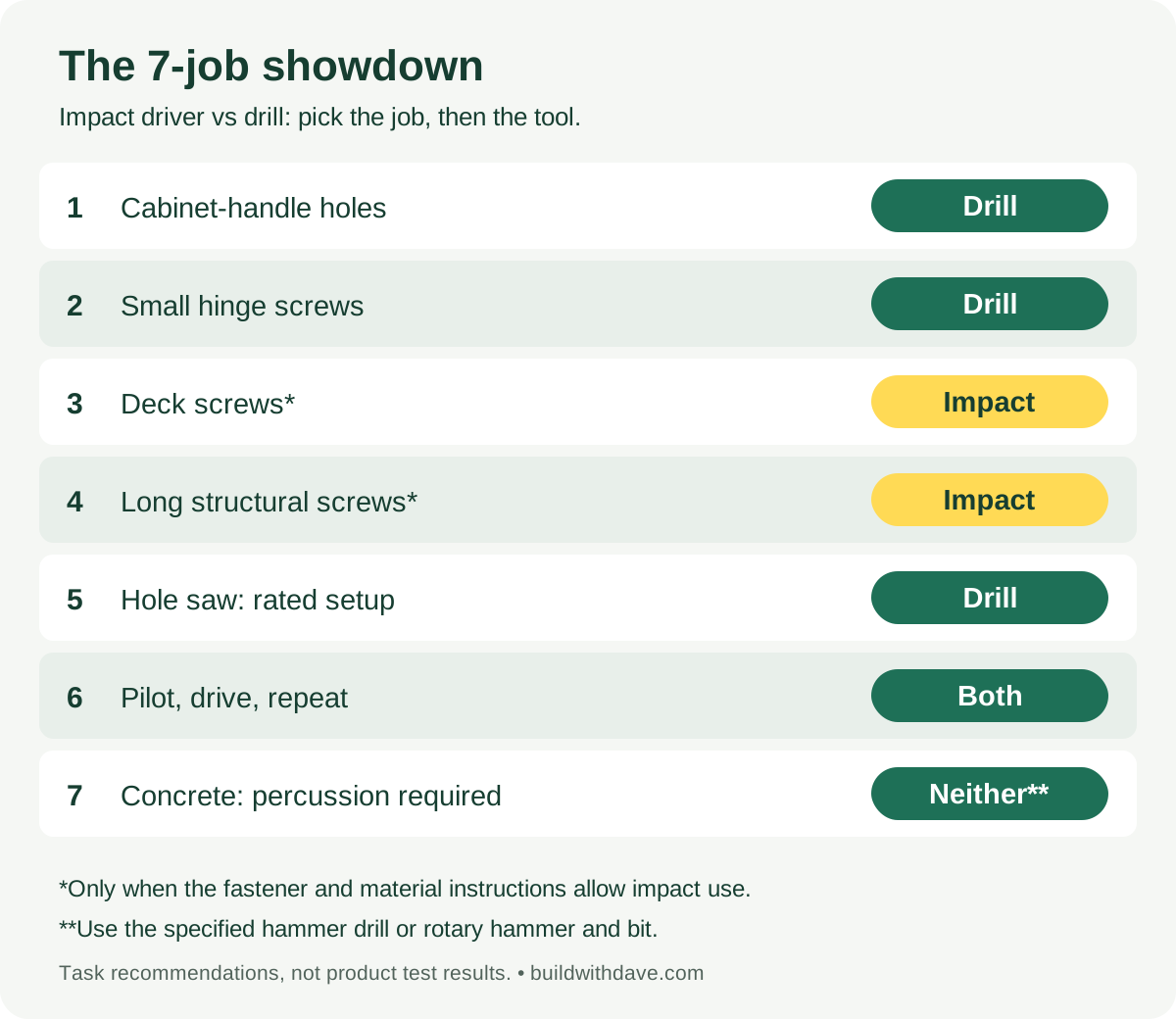
Use a drill/driver for controlled hole-making and delicate screwdriving. Reach for an impact driver for repetitive or demanding screwdriving, when the tool and fastener instructions allow it. If you regularly drill pilot holes and drive screws, having both ready saves swapping bits.
The loudest tool doesn't win every round. Here are seven common jobs, the tool we'd reach for, and the mistake to avoid. One round is a tag team. Another needs a different tool altogether.
These are task-based recommendations, not results from a timed or hands-on product test. Manufacturer guidance checked November 4, 2026. “Drill” below means a drill/driver without hammer mode unless stated otherwise.
The seven-job scorecard
| Round | The job | Our pick | Why it gets the job |
|---|---|---|---|
| 1 | Drill cabinet-handle holes | Drill | Controlled drilling with the appropriate bit and jig |
| 2 | Install small hinge screws | Drill | Adjustable screwdriving clutch; finish gently |
| 3 | Drive a run of deck screws | Impact | Repeated screwdriving, if the decking and fastener system permit it |
| 4 | Drive long structural wood screws | Impact, if approved | Helpful under resistance; the fastener's instructions still decide |
| 5 | Cut a hole with a hole saw | Drill | A suitably rated drill, speed, and handle for the cutter |
| 6 | Repeat pilot hole, then screw | Both | Leave one tool set up for each step |
| 7 | Drill concrete anchor holes that require percussion | Neither | Use the specified hammer drill or rotary hammer and bit |
Score: drill 3, impact 2, both 1, neither 1. That isn't an overall product ranking. If your day is mostly deck screws, round three matters more than the other six combined.
Open the scorecard to keep it handy when putting a kit together.
What actually changes between an impact driver and a drill?
A drill turns the bit continuously. An impact driver adds rotational hammering as resistance builds. That is different from the forward hammer action used in masonry drilling. An impact driver's usual 1/4-inch hex holder is also different from an impact wrench's square socket drive. DeWalt's tool comparison.
| Detail | Drill/driver | Impact driver |
|---|---|---|
| Common bit holder | Adjustable three-jaw chuck | Quick-release 1/4-inch hex holder |
| Control to look for | Variable speed and adjustable screwdriving clutch | Variable speed; some models add task-specific modes |
| Starting point | Holes and controlled fastening | Repeated or resistant fastening |
| Buying trap | Assuming a compact drill can run every hole saw | Assuming every hex-shank bit is impact-rated |
Features vary by model. Check the actual tool, bit, and fastener combination rather than comparing only battery voltage or the biggest torque number.
Rounds 1 and 2: cabinet handles and hinge screws
The drill wins the careful work. For handle holes, set out the hole centers, use a suitable jig and backing where needed, and check the hardware's required hole size. A damaged finished door costs more than the seconds you hoped to save.
For small hinge screws, start with a low screwdriving clutch setting on a test piece or inconspicuous location. Increase only as needed, and finish by hand if that gives better control. The clutch is a starting point, not a guarantee against stripping.
On DeWalt's DCD701/DCD706, numbered settings control screwdriving torque, while the clutch does not operate in drilling or hammer-drilling mode. Other tools have their own controls; read their manuals. DeWalt manual.
Jobsite example: fitting twelve cabinet pulls means twenty-four accurately positioned holes. Choose the drill and a repeatable layout. This job is won by matching hole centers, not maximum torque.
Rounds 3 and 4: deck screws and long wood screws
The impact gets the repetitive driving rounds, subject to the installation instructions. Its rotational impacts are useful when a screw becomes harder to turn. That does not make every screw or decking system suitable for impact installation.
For deck boards, follow the selected board and fastener system's rules for pilot holes, spacing, drivers, and head depth. A recessed head is not automatically a better installation. For structural screws, the specified diameter, length, embedment, and installation method matter more than how powerful the tool feels.
Stop when the required seating condition is reached. If a fastener stalls or its head starts to fail, investigate the bit fit, hole, material, and instructions instead of simply holding the trigger longer.
When pricing a deck, allow for the actual fastening system, bits, and installation steps in the deck-building estimate checklist. An easy-to-drive screw does not remove layout, cutting, or inspection time from the job.
Round 5: the hole saw
Use a drill rated for the cutter and material. Check the cutter's diameter limit, recommended speed, arbor, and the drill manufacturer's requirements. Fit the auxiliary handle when required and secure the work. A compact drill that handles cabinet hardware may be the wrong drill for a large bore.
This round is about matching capacity and control, not declaring every impact incapable of making a hole. DeWalt says an impact driver can drill using suitable impact-ready accessories or its recommended adapter. Its speed and accessory compatibility still need checking. DeWalt's drilling guidance.
For repeated hole-saw work, choose the drilling setup deliberately rather than buying a hex adapter and assuming that settles it.
Round 6: pilot, drive, repeat
Both tools win this one. Keep a drill bit in the drill and the correct driver bit in the impact. Use the pilot size and depth specified for the material and fastener.
Consider a run of wood brackets where every fixing needs a pilot hole. One worker can switch tools without changing bits; a crew may split the steps if the work area allows it. Neither arrangement guarantees a particular time saving. Track a representative job before changing your labor allowance.
This is the strongest reason to buy a combo kit: two useful setups ready at once. It is also why a second tool can be worth more to a working contractor than a slightly higher specification on the first.
Round 7: concrete gets a different contender
Neither a plain drill nor an impact driver wins when the anchor instructions require percussion drilling. Select the specified hammer drill or rotary hammer, compatible masonry bit, and hole-cleaning method. A rotary hammer uses a different mechanism from an ordinary hammer drill; choose for the substrate and anchor requirements.
An impact driver's rotational blows do not turn it into a hammer drill. A combination drill may cover this round if it has the appropriate hammer mode and capacity. DeWalt's DCD701/DCD706 manual, for example, specifies hammer drilling only for the DCD706 and calls for percussion-rated masonry bits. Tool manual.
Don't treat “concrete anchor” as a complete specification. Check the exact anchor's substrate, hole diameter, depth, cleaning, and installation instructions before quoting or drilling.
Which one should you buy first?
For a first general-purpose kit, we'd usually choose a drill/driver. For a contractor who already has a capable drill and spends substantial time driving approved screws, an impact driver is a useful addition. For regular pilot-and-drive work, price a combo kit against separate purchases.
Here's an illustrative USD shopping comparison, not live retail pricing:
| Example purchase | Tools, battery, charger | Suitable starter bits | Total |
|---|---|---|---|
| Drill kit | $160 | $25 | $185 |
| Impact kit | $150 | $25 | $175 |
| Drill + impact combo kit | $250 | $40 | $290 |
In this example, the combo costs $105 more than the drill setup, and $70 less than buying both standalone setups. The impact-only option is cheapest but does not cover the same range of jobs. Check battery count, capacity, included accessories, and warranty before treating two kits as equivalent.
Use actual quotes when comparing Home Depot and Lowe's for contractor purchases. Put recurring tool and bit costs into your overhead or job costing, then use the contractor labor-rate calculator to check the rate you need to recover them.
Quick answers
Can an impact driver replace a drill?
It can cover some drilling with compatible impact-rated accessories, but it is not a complete substitute for a drill's chuck, controls, or capacity. Buy for the holes and fasteners you actually use.
Can a drill drive screws?
Yes. Use screwdriving mode and a suitable clutch setting when your drill offers them. Small hardware and delicate surfaces are good reasons to favor control over force.
Is an impact driver the same as an impact wrench?
No. An impact driver commonly takes 1/4-inch hex bits for screws. An impact wrench commonly takes sockets on a square drive for nuts and bolts. Adapters do not make their ratings or intended uses identical. DeWalt comparison.
Does the score mean a drill is better?
Only for more of the seven situations we selected. Choose by the work you repeat most often. The right winner is the tool that completes that task correctly, with the setup and accessories it requires.