



Start with the job you want off your plate. ChatGPT is worth trying for research and document work. Grok Bot, Meta Muse, and ChatGPT Dots can take on work across connected tools. Dave fits a different need: keeping a small contractor's estimates, invoices, schedule, and project records together, with AI working inside that system.
Those options can overlap. You might use Dave to run a deck project and a general assistant to compare suppliers or improve your website. You don't need to replace a working business system just to get help writing an email.
This guide is written by the Dave team for project-based trades businesses. It compares documented capabilities checked on November 1, 2026, not results from a hands-on speed or accuracy test. The recommendations below are our assessment of fit. Plan availability and connected-app permissions can change what each product can do.
Which AI tool fits which contractor task?
| Your main need | Start by considering | What to check before choosing |
|---|---|---|
| Research a material, compare supplied documents, or draft customer wording | ChatGPT | Can you supply the relevant files and verify the sources and output? |
| Delegate repeat work across your existing apps and websites | Grok Bot | Can it complete the actual workflow in your accounts, including the final saved record? |
| Hand off a mix of personal and business errands through a conversational assistant | Meta Muse | Are your required connections and actions available in your account? |
| Give an agent an ongoing responsibility with follow-up between conversations | ChatGPT Dots | Does it have access to the current records and a clear rule for when to involve you? |
| Quote projects, invoice approved work, schedule visits, and keep job information together | Dave | Is your business project-based, and are your prices and job records ready to use? |
| Measure quantities from construction drawings | A dedicated takeoff tool, such as Togal | Does it handle your drawing type, scale, revisions, and review process? |
The table is a starting shortlist, not a ranking. A plan takeoff, a proposal, and an invoice are different outputs. Buying a tool that produces one doesn't prove it handles the others.
ChatGPT: a useful place to start with files and writing
ChatGPT Work can research, analyze files, and create documents and spreadsheets using the context and connected tools you provide. That makes it a reasonable first trial when your main problem is turning rough information into something readable.
For example, give it two supplier quotes for a fence package and ask for a table of quantities, delivery, exclusions, and unanswered questions. Don't ask it to choose the cheapest package until you've checked that both quotes cover the same fence.
Choose it when: you already have a workable estimating or invoicing system and need help around that system. A general assistant gives you room to work on many different business tasks.
Check: whether a result is a document, a draft inside another app, or an action actually completed there. Connected tools can extend what ChatGPT does; it would be inaccurate to say it can only produce text. The connection and the saved result matter.
Grok Bot: work across the tools you already have
Grok Bot works on a persistent cloud computer and can use connected apps and websites. Its documentation describes retained context, multiple Bots, and repeatable skills and routines. Grok Bot is a separate product from the ordinary Grok chat app.
Choose it when: your admin is spread across several tools you want to keep. A useful trial is collecting delivery confirmations from supplier emails and preparing a job-by-job delivery list.
Check: the full path in your own accounts. The Grok Bot FAQ notes that sites can block automation or require sign-in, verification, or human confirmation. A successful demonstration in one website doesn't establish that every contractor app will work the same way.
Meta Muse: a personal agent that can also help with work
Meta describes Muse as an agent with its own computer that can work across apps, continue in the background, and ask for approval for sensitive actions. Here, Muse means Meta's personal agent, not an unrelated product with the same name.
Choose it when: you want one assistant for a mixture of research, scheduling coordination, and everyday tasks. A contractor might use it to research equipment hire while also handling non-work commitments.
Check: your business task separately from a general demo. Ask it to show where a quote, appointment, or invoice ended up. We haven't established a native Dave connection or a complete contractor billing workflow for Muse, and this comparison doesn't assume either.
ChatGPT Dots: ongoing responsibility across connected tools
Dots can keep working between conversations, retain relevant context, and follow up as circumstances change. Their cloud computer can continue working while your device is off; available plugins and permissions determine which services they can use.
Choose it when: the task is an ongoing responsibility rather than a single document. For example: monitor a shared project planning folder, identify new delivery conflicts, and bring you the decisions that need attention.
Check: what information it can actually read and update. OpenAI's connection guide explains that cloud browser sessions and local computer access are separate. Give the agent explicit source records and an approval boundary; don't assume it sees every file or business account you use.
Dave: AI inside the estimate-to-payment workflow
Dave is built for owner-operators and small crews doing quoted projects, such as patios, decks, fences, remodeling, and installation work. Ask Dave can help with estimate drafts, invoices, schedules, and business questions. The result belongs with the client and project you're working on.
The practical advantage is continuity. Your saved prices help build the estimate, approved work can become an invoice, and the project keeps its documents and field information. AI helps prepare the work; you review the details and confirm the relevant actions.
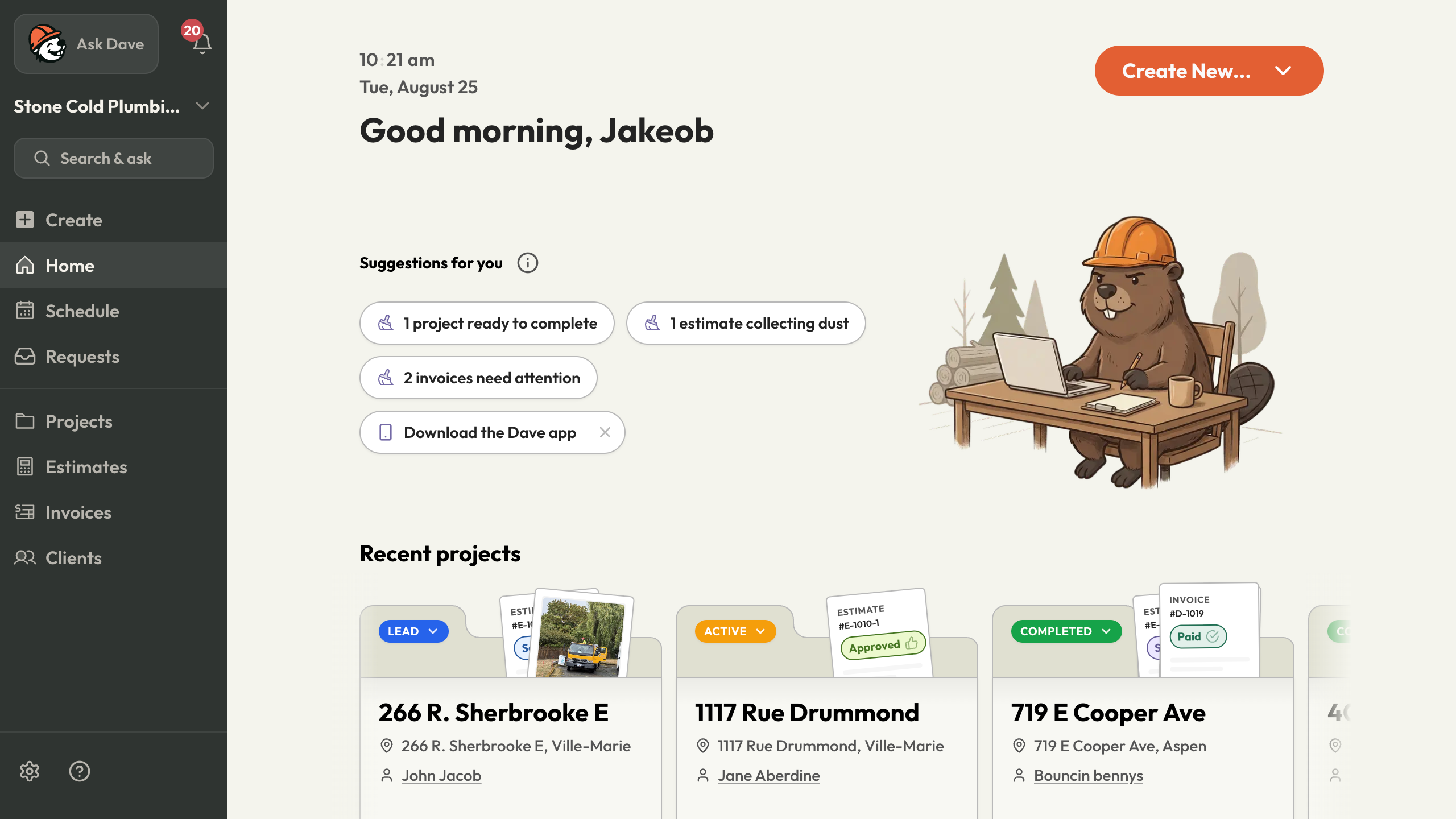
Choose Dave when: you're repeatedly rebuilding the same job information in notes, quotes, invoices, and calendars. Review the AI estimating workflow and AI invoicing example before deciding whether it fits.
Choose something else when: you mainly need route optimization for dozens of service stops, enterprise construction controls, or a full accounting ledger. Dave isn't designed around those needs. Nor do we present its photo and voice notes as a replacement for measured plan takeoffs.
A realistic example: a two-person deck business
Suppose your customer sends an inspiration photo, you measure the site, and a supplier emails a material quote. The owner still has to choose the assembly, confirm quantities, price the labor, and agree on the scope.
Here's how the tools can contribute without asking one product to do everything:
| Step | Useful AI work | What the contractor supplies or checks |
|---|---|---|
| Before the visit | Turn the customer's request into questions | Access, intended use, measurements still needed |
| After measuring | Organize a scope and price table | Verified dimensions, material quote, labor allowance |
| Before approval | Explain base scope and optional upgrades clearly | What's included, excluded, and separately priced |
| Once approved | Prepare the project schedule and invoice draft | Agreed dates, accepted version, billing stage |
| During work | Organize field updates and follow-up questions | Actual conditions, changes, and customer decisions |
A general assistant may handle the surrounding research well. A contractor app may reduce the number of times you rebuild the project. If you already have an excellent job-management system, an agent that works with it may be the more sensible addition.
Try one completed job before moving your workflow
Use a past job with known quantities and an agreed price. Remove unnecessary personal details, then give each candidate the same information. Ask for the same deliverable: a reviewable estimate, an invoice draft, or a list of open decisions.
Measure the entire task, including corrections. An attractive first response isn't the finish line. Can you locate the right client, correct an item, save the result, and find it again next week?
Compare the total cost of the setup: subscriptions, seats, usage allowances, existing business software, and your time maintaining connections. Check current vendor pricing rather than comparing one product's entry tier with another's fully configured setup. Dave's current plan details are on the pricing page.
Common questions
Can AI run a contracting business by itself?
AI can prepare documents and carry out supported tasks, but a business still needs someone accountable for scope, pricing, commitments, and work quality. Start with a defined task and a visible result. Expand after you've checked that it works reliably in your own process.
Is a general AI agent enough if I already use contractor software?
It can be. If your job records and billing are already organized, research or cross-app assistance may be the missing piece. Test access to your actual software instead of assuming you need a new platform.
Which option should I try first?
Choose the task costing you the most repeated admin. For estimates, compare the source of quantities and prices. For invoicing, check deposits and prior billing. For business follow-up, use the weekly AI assistant workflow to define exactly what a useful result looks like.