




The right AI estimating software depends on what slows down your bids: measuring the job, finding costs, or turning known quantities and prices into a proposal. Those are three different problems.
For a small contractor who measures on site and already knows their rates, an editable estimate connected to the project may be enough. An estimator working from large drawing sets needs a takeoff workflow. A remodeler building a cost library may value a regional pricing database more than either.
This comparison is written by the Dave team, based on product documentation checked November 1, 2026. It isn't a hands-on accuracy ranking. The fence example below is our own illustrative review exercise, not output collected from any of the products.
Compare the starting point, not just the AI label
| Option | Most relevant starting point | Why consider it? | What to verify |
|---|---|---|---|
| ChatGPT | Notes, supplier quotes, and spreadsheets you provide | Flexible analysis, document drafting, and scope organization | Trace every quantity and price to a supplied source or a checked calculation |
| Togal | Construction drawings | Dedicated detection, measurement, and drawing comparison | Scale, relevant trade coverage, missed items, and how quantities reach your estimate |
| Clear Estimates | Project description plus its cost library | AI scope assembly with localized US cost data and editable items | Whether the location, assembly, and production assumptions match your job |
| Handoff | Project information within a contractor workflow | AI estimating and proposals connected to broader project work | Plan inclusions, pricing inputs, and the handoff to billing |
| Dave | Site scope, saved prices, and existing estimate files | Editable project estimates with a pricebook and estimate-to-invoice workflow | Your quantities, saved rates, exclusions, and customer-facing total |
These are fit recommendations, not exclusive capability lists. For example, Handoff also documents access from external assistants. General AI and contractor software can work together; the choice isn't always one or the other.
Which fits residential estimating?
For remodeling and residential installation work, start with the information you already have. A kitchen remodel described in notes, a measured fence replacement, and a complete set of house plans shouldn't all enter the same workflow by default.
| Your starting point | First option to investigate | Why |
|---|---|---|
| A measured scope and reliable spreadsheet | ChatGPT, or keep the spreadsheet | Organize supplied information and improve the document without replacing a working pricing method |
| Remodeling scope but a thin cost library | Clear Estimates | Regional cost data can provide starting inputs to review |
| Residential plans that need quantities | A takeoff product such as Togal; also check Handoff's relevant plan | Drawing measurement is a distinct requirement from proposal drafting |
| Site measurements, saved rates, and client options | Dave or Handoff | Compare the complete estimate-to-project workflow using your own job |
Handoff's documentation says that without a custom catalog it uses local labor data, retail supplier matching when enabled, and defaults for other items. That is different from assuming every price comes from your company's history. Ask which source supplied each important line. Handoff pricing inputs
Its current pricing page places residential-plan AI takeoffs in Scale, with stated plan-size limits. A lower-tier AI estimating subscription should not be treated as the same takeoff offering. Check the current package, usage allowance, and commitment. Handoff plans
For trade-specific trial exercises, use our landscape estimating software and fence estimating software guides. They separate measurement, pricing, and the job paperwork that follows.
Compare the cost of the workflow you need
Clear Estimates currently advertises $79/month on its AI estimating page. Dave lists $99/month or $948/year with two seats. Handoff separates estimating, broader project tools, and residential takeoffs into different plans. Compare the needed tier and commitment, not an entry price against a full workflow. Verify currency, taxes, usage limits, and current terms before buying. Clear Estimates · Dave pricing · Handoff pricing
Use this simple buying checklist: cost for your actual seats, annual commitment, AI usage allowance, source of cost data, takeoff inclusion, invoice handoff, and export options. Count review time too. A cheap draft that requires rebuilding the quantities and prices may not reduce your total estimating work.
First decide whether you need takeoff or estimate drafting
A takeoff establishes quantities from measurements or drawings. An estimate applies costs, production assumptions, overhead treatment, and profit to a defined scope. A proposal then explains what the customer is being offered.
Togal's documented focus is detecting, measuring, and comparing information in drawings. That's a sensible category to investigate when drawing measurement is your bottleneck. Don't choose a proposal-writing assistant and expect an equivalent takeoff process.
Clear Estimates describes an AI Scope Assistant backed by a cost library covering more than 400 US pricing areas, with quarterly updates. That can provide a useful starting point when you need cost data, but a regional library still needs checking against your supplier quote and crew's actual production. Clear Estimates product details
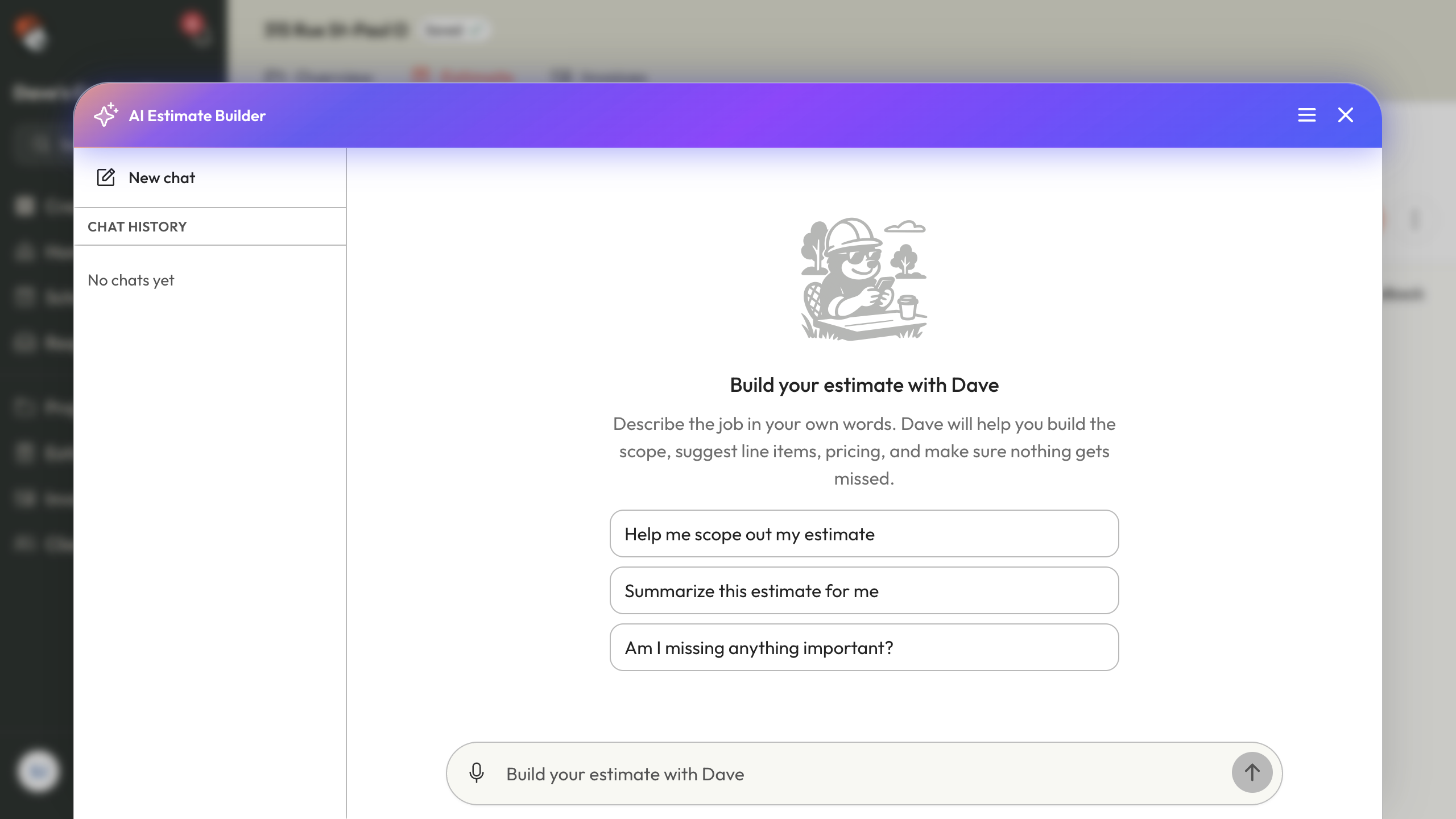
Dave's AI Estimate Builder guide describes building and revising an estimate from job information and supported attachments. It doesn't establish an automated, dimensionally verified takeoff from a site photo. Supply your measurements rather than treating a photo as a measuring instrument.
Example: check a 40-foot fence replacement estimate
Assume you've measured a straight 40-foot section, confirmed the fence assembly and access, and obtained a material package quote. Removal, replacement, and cleanup are included. No gates, retaining work, or major site remediation are included.
The following USD amounts are invented inputs for demonstrating the review process, not market rates or a recommended fence price. Tax and any required permit or design charges are excluded. The material package covers the selected boards, rails, posts, and specified post-setting materials; the separate consumables line covers other small supplies.
| Input supplied by the contractor | Calculation | Direct cost |
|---|---|---|
| Complete material package | Supplier allowance | $1,320 |
| Replacement installation labor | 24 person-hours × $55 | $1,320 |
| Removal and disposal, including removal labor | Separate allowance | $400 |
| Equipment | Allowance | $180 |
| Delivery | Allowance | $130 |
| Other consumables | Allowance | $90 |
| Total direct cost | Sum of the six lines | $3,440 |
| Markup | 25% × $3,440 | $860 |
| Selling price before tax | $3,440 + $860 | $4,300 |
The 24 hours are person-hours, not three days for every member of a crew. Two people working 12 hours each use the same allowance. Removal labor is already in its own line, so don't add it again.
At this price, the difference between selling price and the listed direct costs is $860, or 20% of sales. It isn't a 25% gross margin. And it isn't net profit after overhead. See the markup vs margin guide before asking any AI to apply your pricing rule.
A prompt that keeps the estimate tied to your inputs
Use the table above, or attach your own saved cost sheet, with this request:
Draft an estimate for the measured 40-foot fence replacement using only the attached scope and cost table. Keep removal labor separate from installation labor. Show quantity, unit, unit cost, and extended cost where provided. Apply 25% markup to the listed direct costs. Do not invent a tax rate, permit fee, quantity, or delivery date. List missing information as questions. Keep optional work outside the base total and leave the document as a draft.
This prompt is an instruction to constrain the draft, not a guarantee that it will obey perfectly. Compare the result with your inputs. If the system has separate cost and selling-price fields, check which field it filled before applying markup.
The scope-of-work guide can help you turn missing details into clear inclusions, exclusions, and questions.
Five checks that catch expensive errors
| Check | Error to look for | Correction |
|---|---|---|
| Units | 40 linear feet becomes 40 square feet | Confirm the unit against the measurement and assembly |
| Labor | Two workers' hours get counted twice | State total person-hours and the rate basis |
| Price source | A guessed material allowance replaces the quote | Keep the supplier reference and quote date with the item |
| Scope | A gate or stain finish appears without agreement | Remove it or present a separately priced option |
| Pricing rule | 25% markup is treated as 25% margin | Recalculate from direct cost and verify the selling price |
Now test a change. If the installation allowance increases by eight person-hours, direct cost rises by $440. With the same 25% markup, selling price rises by $550, from $4,300 to $4,850. An assistant that changes the wording but misses that total hasn't finished the task.
On a real bid, also check subcontractor exclusions, tax settings, access, delivery minimums, and site-specific risks. The useful AI draft makes those gaps visible; it doesn't conceal them behind a confident total.
Where Dave fits, and where another tool fits better
Dave makes sense when your next step is sending an estimate that stays connected to the client and project. You can reuse saved Pricebook items, review the draft, and later convert accepted work into an invoice.
You can also attach an Excel, CSV, PDF, or supported image to recreate an existing estimate. Save the spreadsheet first so its calculated values are current. Dave imports the reference into an editable draft; spreadsheet formulas and formatting don't transfer. Spreadsheet import instructions
If you want a specialized drawing-measurement workflow, trial a takeoff product first. If you're satisfied with your estimating spreadsheet and just need research or better wording, try a general assistant before moving systems. If your main missing piece is a US regional cost library, compare a product built around that library.
For Grok Bot, Muse, and Dots, the broader question is how they work with the tools you already use. Our AI tools guide covers that distinction. Don't assume an agent has a native integration with your estimator just because it can use a browser.
Common questions
Can ChatGPT create a construction estimate?
It can help organize supplied scope, analyze files, and draft a price table or document. Give it verified quantities and rates, then check the calculations. A generated number without a source isn't a supplier quote or a measured takeoff.
Should I trust an AI-generated local labor rate?
Treat it as an unverified input until you establish where it came from. Your selling rate, employee wage, and fully burdened labor cost are different numbers. Use the rate appropriate to your estimating method and label it clearly.
What should I compare during a software trial?
Use the same completed job in each tool. Compare scope omissions, corrections, price traceability, ease of editing, and the final customer document. Count review time as part of the task, and check current plan limits before buying.